Dashboard
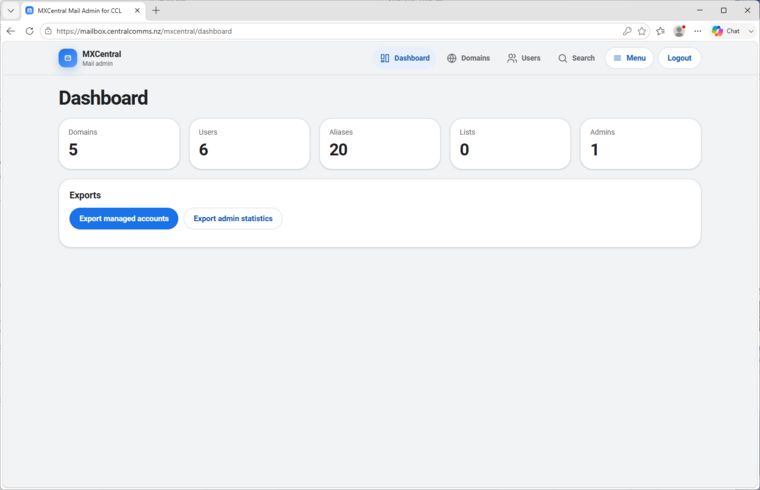
The dashboard gives global admins a quick count of domains, users, aliases, lists, and admins, then exposes export actions without forcing a trip through database tooling.
MxCentral gives iRedMail operators a practical browser control plane for the day-to-day work that normally crosses SQL tables, Postfix maps, Amavisd policy, iRedAPD settings, quarantine data, Fail2ban records, and SOGo branding.
The screenshots below show how MxCentral organizes mailbox administration, policy controls, quarantine, DNS checks, and SOGo/webmail branding into direct operational screens. Click any image to inspect the full-size screenshot.
Domains, users, aliases, mailing lists, domain admins, forwarding, DKIM and DNS checks, quarantine review, throttling, sender mismatch exceptions, unauthenticated sender approvals, silent discard maps, Fail2ban visibility, decryptable password controls, and SOGo/webmail integration.
Each screen keeps the underlying iRedMail responsibility visible, so operators can tell whether they are changing database records, mail policy, DNS evidence, service settings, or webmail branding.
The dashboard gives global admins a quick count of domains, users, aliases, lists, and admins, then exposes export actions without forcing a trip through database tooling.
Create and edit hosted domains with descriptions, transports, mailbox and alias limits, quota values, Backup MX state, and staging controls that temporarily hold inbound mail during migrations.
Manage mailbox accounts with domain selection, display names, quota limits, password changes, and per-user services such as mail, POP3, IMAP, sieve, and webmail access.
Build address aliases and catch-all forwarding rules from a single screen, with clear destination lists and domain scoping for hosted address management.
Configure forwarding destinations, decide whether to keep local mailbox delivery, manage backup addresses, and toggle service availability for an account without editing SQL by hand.
Create and maintain mailing lists with owner, moderator, member, access-policy, description, and maximum message size controls in the same admin surface as users and domains.
Assign administrator accounts to specific domains so delegated admins can manage their own users and aliases while global settings remain reserved for global admins.
Generate DKIM material through the privileged helper, show the exact DNS record operators need to publish, and verify MX, SPF, DKIM, and DMARC state from the domain workflow.
Review quarantined spam, virus, banned, bad-header, and bad-MIME messages, filter by recipient or domain, inspect evidence, and remove selected records when they are no longer needed.
Create throttle rules for an account or domain with inbound/outbound direction, time period, maximum message size, message count, and cumulative size limits.
Manage iRedAPD sender-login mismatch exceptions with visible generated settings, plugin state, Postfix restriction state, and the list of allowed accounts.
Authorize selected senders or trusted IP ranges for unauthenticated SMTP flows, while showing the relevant iRedAPD and Postfix state before changes are saved.
Maintain a managed recipient discard map for addresses such as no-reply mailboxes, with Postfix map checks and helper-mediated writes before reload.
Review blocked IP addresses with jail, country, log evidence, status, and optional helper-mediated unban actions without switching to server shell commands.
Control optional encrypted mailbox password storage, inspect whether the feature is enabled, trigger schema changes deliberately, and surface upgrade-check state in the same settings area.
Set the SOGo login image path, logo override colors, current image state, and template override behavior through the same privileged-helper model used for mail service files.
Connect the admin control plane to the user-facing SOGo login experience so hosted mail users see a consistent branded entry point.
MxCentral keeps SOGo as the webmail client. Operators can link users to webmail while MxCentral handles administration, policy, and server-side management.
